Discover how an AI card grading app helps assess Pokemon and sports cards fast. Save time, avoid weak submissions, and get instant insights. Try it now.
Top AI Card Grading Apps: Streamline Your Collection
Found a dusty box of old Pokemon cards in the attic? Or a binder of 1990s baseball cards in the back of a closet? Age alone does not make a card valuable. In many cases, the difference between a $50 card and a $5,000 card comes down to tiny flaws that are easy to miss.
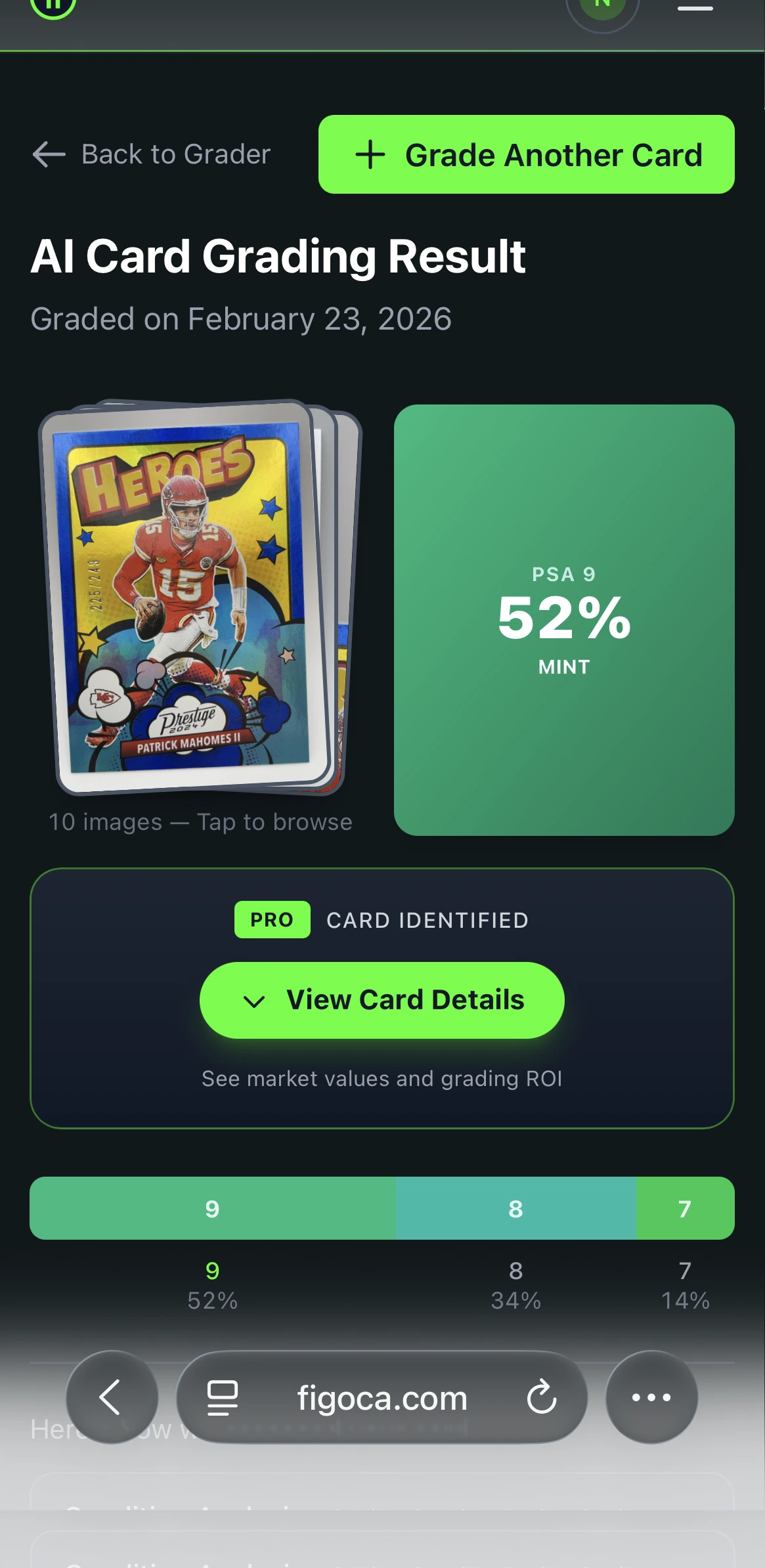
That is why collectors increasingly use an AI card grading app as a first step. Instead of guessing with your eyes alone, you can scan a card with your phone and get a fast condition estimate based on the same core factors professional graders use: centering, corners, edges, and surface.
The goal is not to replace professional grading. The goal is to stop wasting money on cards that were never strong grading candidates in the first place. If you want a quick first pass before you submit to PSA or BGS, AI can save time, money, and a lot of bad guesses.
TL;DR
- AI card grading apps are best used for pre-grading before you pay professional grading fees.
- They help you sort large collections fast and identify cards worth a closer look.
- They focus on centering, corners, edges, and surface just like human graders do.
- They are most useful when paired with sold data and grading math from figoca comps and the EV grading calculator.
- They do not replace official grading from companies like PSA or BGS.
Why collectors use AI for card grading
Trying to eyeball condition is harder than most people think. One collector sees a card as "great for its age." Another notices slightly off-center borders, a soft corner, or minor edge whitening that drops the grade fast.
That gap matters because grading is about consistency, not personal opinion. If you are new to the hobby, start with PSA grades explained to understand what a 1 through 10 grade really means in practice.
An AI app gives you a structured first opinion. Think of it like a digital assistant with a perfect ruler and a magnifying glass. It helps you stop guessing and start screening cards with a repeatable process.
This is especially useful if you:
- inherited a mixed collection and do not know where to start
- want to separate likely grading candidates from binder cards
- need a quick second opinion before buying a raw card
- want to avoid sending obviously flawed cards to a professional grader
With the figoca AI card grading app, you can get that first estimate in seconds and move from curiosity to a more informed plan.
AI Card Grader
Know your card's grade before you submit
Snap a photo with your phone and get an instant AI-powered grade estimate. Check centering, corners, edges, and surface — just like the pros.
- Instant grade estimate
- Sub-grades for all 4 pillars
- Built-in ROI calculator
- Free to use
What a graded 10 really means
Collectors often ask why one copy of the same card sells for a few hundred dollars while another sells for many thousands. The answer is often the grade.
A professional grade is a standardized condition score from a third-party company. The most recognized examples are PSA and BGS. A high score signals that the card is exceptionally clean across the areas graders care about most.
At the top of the scale is the dream outcome: a Gem Mint 10. That does not mean "looks good to me." It means the card is near-perfect by grading standards. If you want the full breakdown, read PSA grades explained.
The problem is that official grading takes time and money. Submission fees, shipping, insurance, and turnaround time add up quickly. That is why pre-grading matters so much. Before you commit to a formal submission, you need a realistic sense of whether the card even has a shot at the grade you want.
If you are planning a submission soon, pair this article with how to select cards to submit for grading and how to submit to PSA.
How an AI card grading app saves time and money
The biggest benefit of AI pre-grading is simple: it acts like a filter.
Instead of paying to grade every card that looks good at first glance, you can scan cards first and focus your money on the strongest candidates. That matters because many bad submissions are not bad cards. They are just cards with flaws that are hard to spot without a careful review.
Imagine a card that looks perfect in a binder. You scan it and the app flags clearly off-center borders. You might have missed that. A professional grader would not. That quick scan may have just saved you a grading fee, shipping costs, and months of waiting for a disappointing result.
This is where AI is especially helpful:
- Large collection triage: Quickly separate likely gems from low-priority cards.
- Submission screening: Decide which cards are worth sending to PSA or Beckett.
- Buying raw cards: Get a fast condition-based second opinion before you pay up.
- Budget control: Avoid weak submissions that destroy your grading ROI.
For the next step after pre-grading, use figoca comps to check recent sold prices and the EV grading calculator to see whether the numbers still make sense after fees.
How AI grades a card: the 4 key factors
AI card grading apps work by focusing on the same four core condition signals used in professional grading.
1. Centering
Centering is the balance of the card's printed design inside its borders. If the left border is much thicker than the right, or the top is clearly wider than the bottom, the card is off-center. A good app measures this immediately and more consistently than most collectors can by eye.
2. Corners
Corners are one of the fastest places to lose a grade. The AI looks for rounding, bending, softness, or fraying. A card can look sharp at first glance but still have one weak corner that caps the grade.
3. Edges
Edges reveal wear from handling, storage, and poor factory cuts. Whitening, chipping, and rough cuts are common issues. These flaws are especially easy to miss on older cards unless you inspect carefully under light.
4. Surface
The surface includes the front and back faces of the card. This is where scratches, print lines, dents, dimples, scuffs, and gloss issues show up. Surface flaws often decide whether a card is merely nice or truly high grade.
If you want a more in-hand checklist for these same four areas, read how to select cards to submit for grading.
A 3-step guide to getting a reliable AI scan
AI is only as good as the image you give it. A blurry photo, sleeve glare, or bad angle can make a clean card look flawed or hide a real issue.
Step 1: Use a plain, dark background
Place the card on a flat, dark background such as black cloth, a mousepad, or dark construction paper. This makes the edges and corners easier to detect.
Step 2: Use even light and avoid glare
Natural window light works well, but avoid direct sunlight. You want soft, even lighting without harsh reflections. Glare can hide scratches or create false signals on the surface.
Step 3: Keep the phone flat and remove the sleeve
Hold your phone parallel to the card so all four corners are visible and the proportions stay accurate. For the best result, remove the card from the top loader or sleeve before scanning. Protective cases create glare and can hide flaws.
If you are also building better handling habits, read which cards should you sleeve before you prep cards for scanning or grading.
AI vs. human graders: how accurate are these apps?
AI has real advantages. It is fast, consistent, and never gets tired. If you are screening a large number of cards, that consistency matters. A good app can apply the same standards again and again without fatigue or guesswork.
But AI also has limits. A phone photo cannot fully replace an in-hand inspection by an experienced grader. Human graders can tilt the card, inspect unusual stock, recognize print patterns from specific sets, and notice subtle issues that depend on touch, angle, or direct physical handling.
The best way to think about AI is as a pre-grade, not a final verdict.
- Use AI for speed, sorting, and first-pass decisions.
- Use professional grading for official certification, authentication, and resale-ready slabs.
That combination is often the smartest workflow. Start with the figoca AI grader, check the market with figoca comps, then decide whether a formal submission still makes sense.
Beyond grading: build a digital collection while you scan
One overlooked benefit of an AI card grading app is that scanning can also help you organize your collection.
Once cards are digitized, the app becomes more than a scanner. It starts functioning like a lightweight collection inventory. You can review what you own, spot stronger cards faster, and group cards by estimated grade or priority.
That is especially useful when you are dealing with:
- a shoebox of unsorted cards
- a mixed binder with Pokemon and sports cards
- a recent purchase lot you need to review quickly
- a collection you may want to sell, trade, or submit in stages
Instead of digging through stacks every time, you build a clearer picture of the collection. The likely high-end cards rise to the top, and the rest can stay in your personal collection, trade pile, or lower-priority review stack.
From curious owner to confident collector
That old box of cards does not have to stay a pile of unanswered questions.
The real value of AI grading is not just the number on the screen. It is the decision support. You learn what flaws matter, which cards deserve more attention, and where grading fees are likely worth spending.
If you are starting from zero, this is a simple workflow:
- Scan the card with the figoca AI card grading app.
- Check sold prices on figoca comps.
- Run the submission math with the EV grading calculator.
- If the card still looks strong, follow our PSA submission guide.
If you want a fast value framework before you send anything in, also read Should you grade that card? EV beats the $80 rule.
Related guides
- PSA grades explained
- How to select cards to submit for grading
- How to submit to PSA
- Should you grade that card? EV beats the $80 rule
- Which cards should you sleeve?
FAQ

Card enthusiast, figoca founder, and independent software developer
Nico is a card enthusiast who built figoca after running into the same problems many collectors face: uncertain pre-grading decisions, too much tab switching for comps, and no fast way to price cards on the go. He is also a big Kansas City Chiefs fan (❤️💛), follows the Kansas City Royals (💙), and enjoys Formula 1 and Golf.
- Sports Card enthusiast
- Founder of figoca
- Independent software developer with a TypeScript and AWS background