figoca Extension 4.1.0: What's New
figoca 4.1.0: A slab whose exact grade has not sold lately no longer leaves you with an empty panel: figoca now shows what. Update now in the Chrome Web Store.
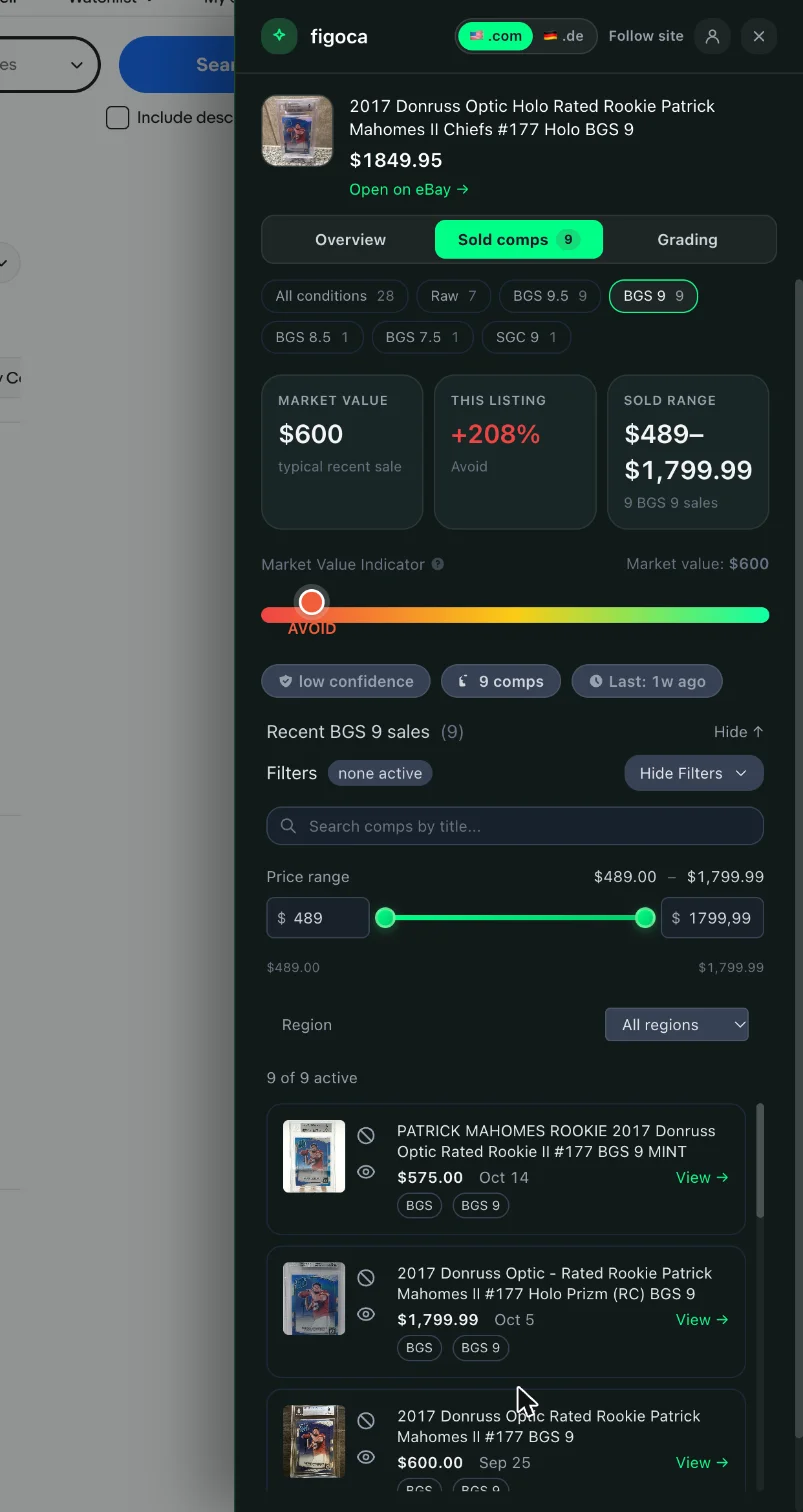
A slab whose exact grade has not sold lately no longer leaves you with an empty panel: figoca now shows what the same card sold for in the other conditions and lets you switch between them, like the figoca app does.
What's new
- Condition switch in the side panel: the Overview and Sold comps tabs get a row of chips, one per condition the card sold in: raw, PSA 10, PSA 9, BGS 9.5, SGC 1.5 and so on, each with its number of sales. The listing's own condition is selected when the panel opens, so a raw card is still rated against raw sales and a PSA 9 slab against PSA 9 sales. One tap shows the price check, the market value, the sold range and the recent sales for any other condition.
- Nearby conditions when yours has not sold: a PSA 1.5 slab of a card that only sold as PSA 1, SGC 1.5 and PSA 2 used to show nothing at all. The panel now says "No PSA 1.5 sales yet" and offers the nearest conditions that did sell, one tap each. The verdict never widens on its own: you pick the condition the price is judged against.
See it in action
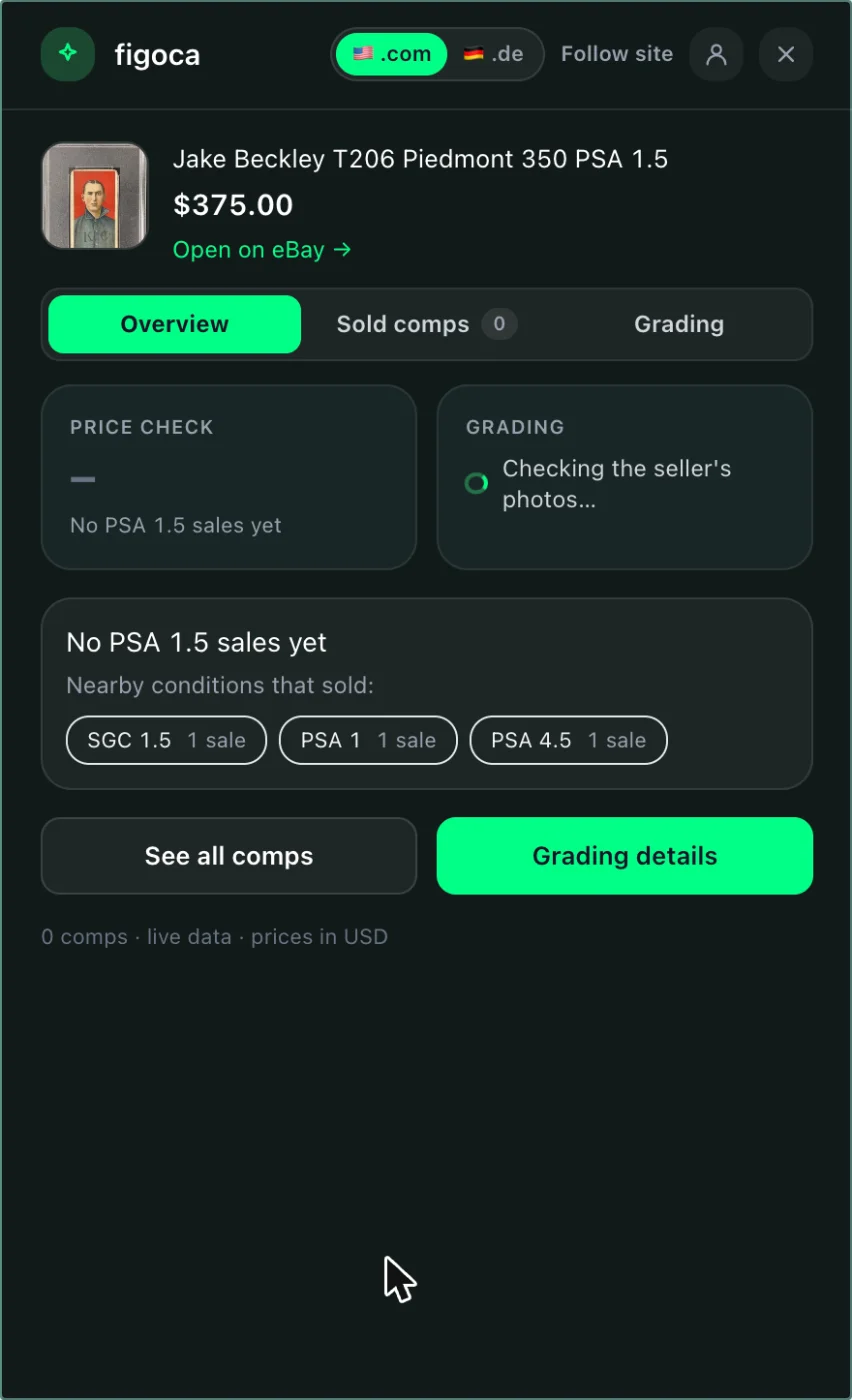 the "No PSA 1.5 sales yet" notice with the nearby conditions offered as chips
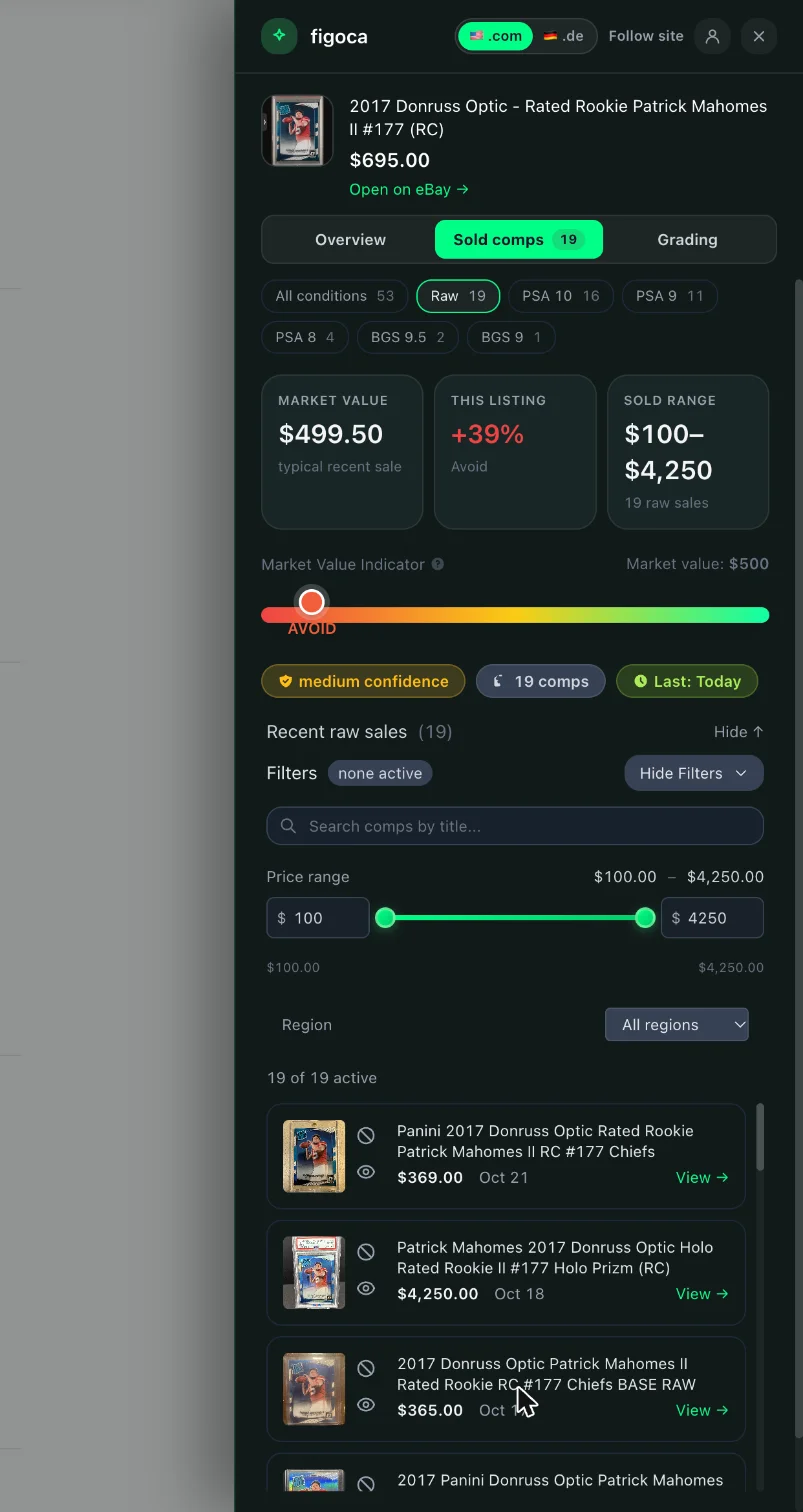 a raw card's panel with Raw selected and the graded conditions one tap away
Fixes
- Graded listings whose exact grade had no recent sale showed neither sold comps nor the value table. Both are back, with the sales of the other conditions where the gap used to be.
Other changes
- The sold comps for a card arrive in one go for every condition, so switching conditions is instant and costs no further lookup. The price range, search and region filters are kept per condition.
- The old PSA and BGS tabs in the Sold comps tab, which loaded their grades separately, are replaced by the condition switch.
Get the update
Chrome installs extension updates on its own, usually within a few hours. To get 4.1.0 right away, open chrome://extensions, switch on Developer mode and click Update.
Not using figoca on eBay yet? Add it from the Chrome Web Store or read how the extension works. Every release is listed in the extension changelog and shown in the extension after it updates.

Card enthusiast, figoca founder, and independent software developer
Nico is a card enthusiast who built figoca after running into the same problems many collectors face: uncertain pre-grading decisions, too much tab switching for comps, and no fast way to price cards on the go. He is also a big Kansas City Chiefs fan (❤️💛), follows the Kansas City Royals (💙), and enjoys Formula 1 and Golf.
- Sports Card enthusiast
- Founder of figoca
- Independent software developer with a TypeScript and AWS background