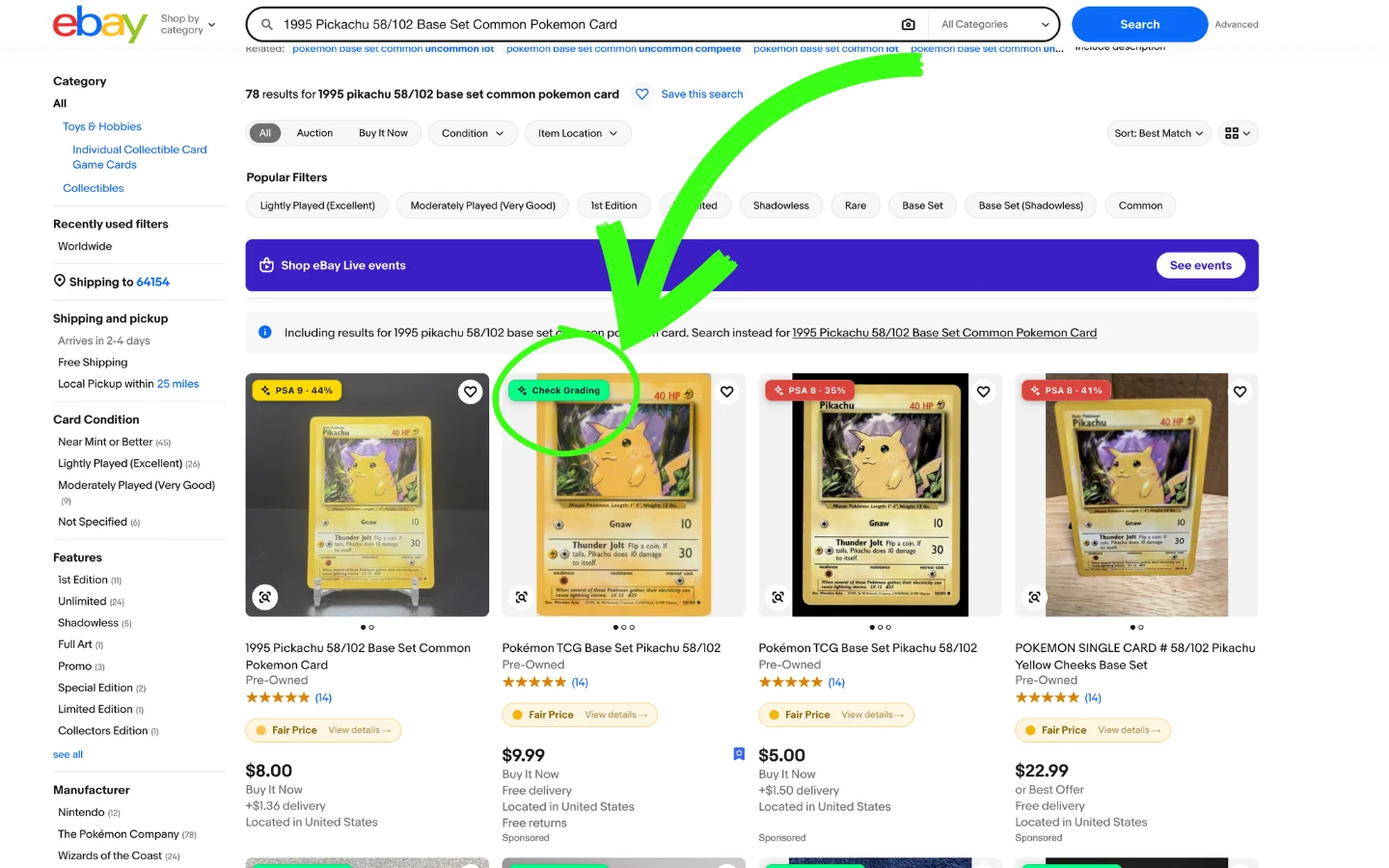
figoca Extension 3.5.0: Check Grading
figoca 3.5.0: A new Check Grading button on every eBay search card and item page grades a raw card from the seller's photos. Update now in the Chrome Web Store.
A new Check Grading button on every eBay search card and item page grades a raw card from the seller's photos, so you know what you are bidding on before the auction ends.
What's new
- Check Grading: a button on every eBay search card and on the item page grades the listing from the seller's gallery photos and shows the result as a figoca slab-style label, with the photos it was computed from, the grade likelihood and a condition breakdown for corners, edges, surface and centering.
- Grades that stick: a listing you already graded shows its grade on every visit and on every device you are signed in on. Grades are stored per user and looked up in one request per page.
See it in action
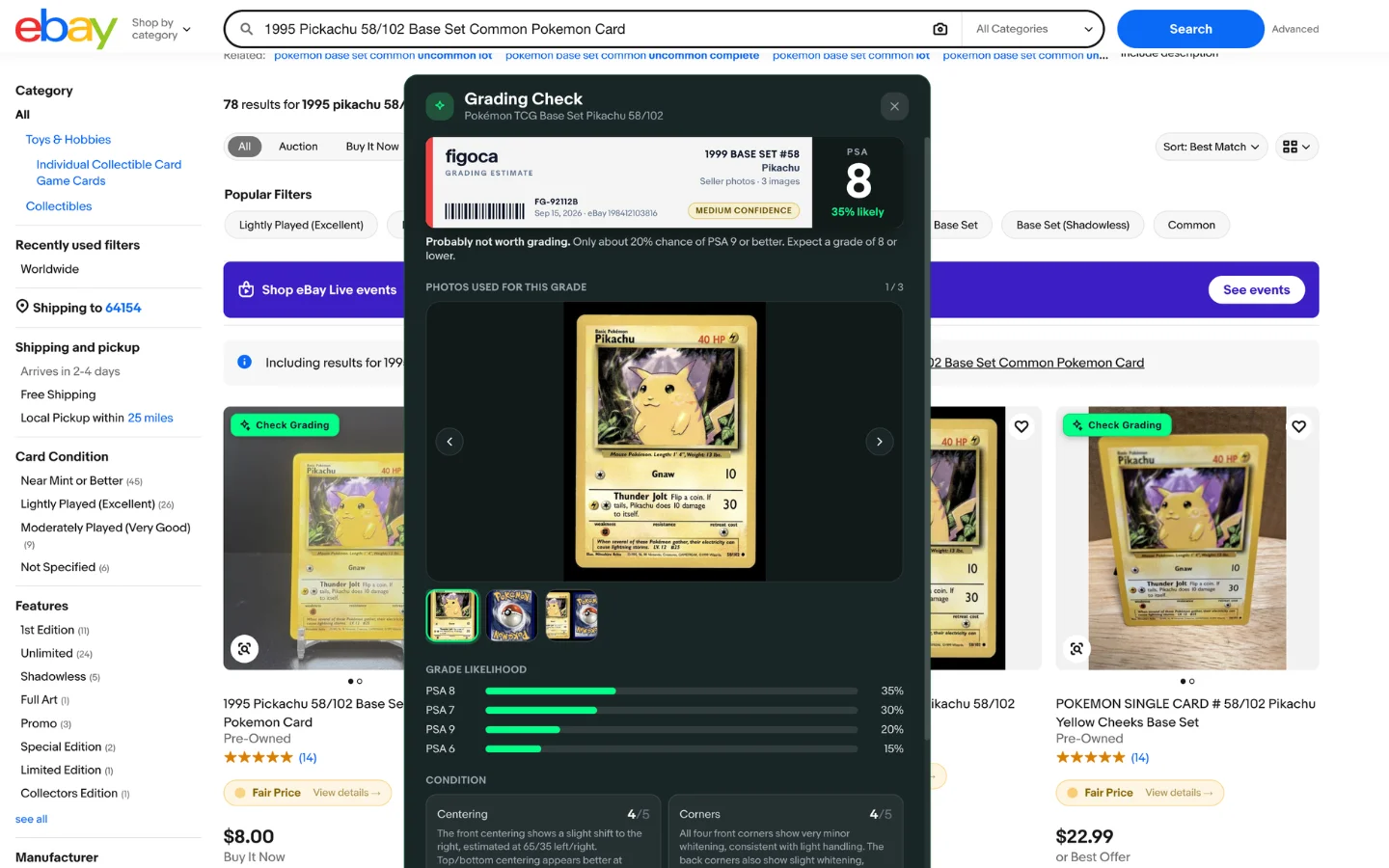 The grading panel with the figoca label, grade likelihood and the seller photos it was based on
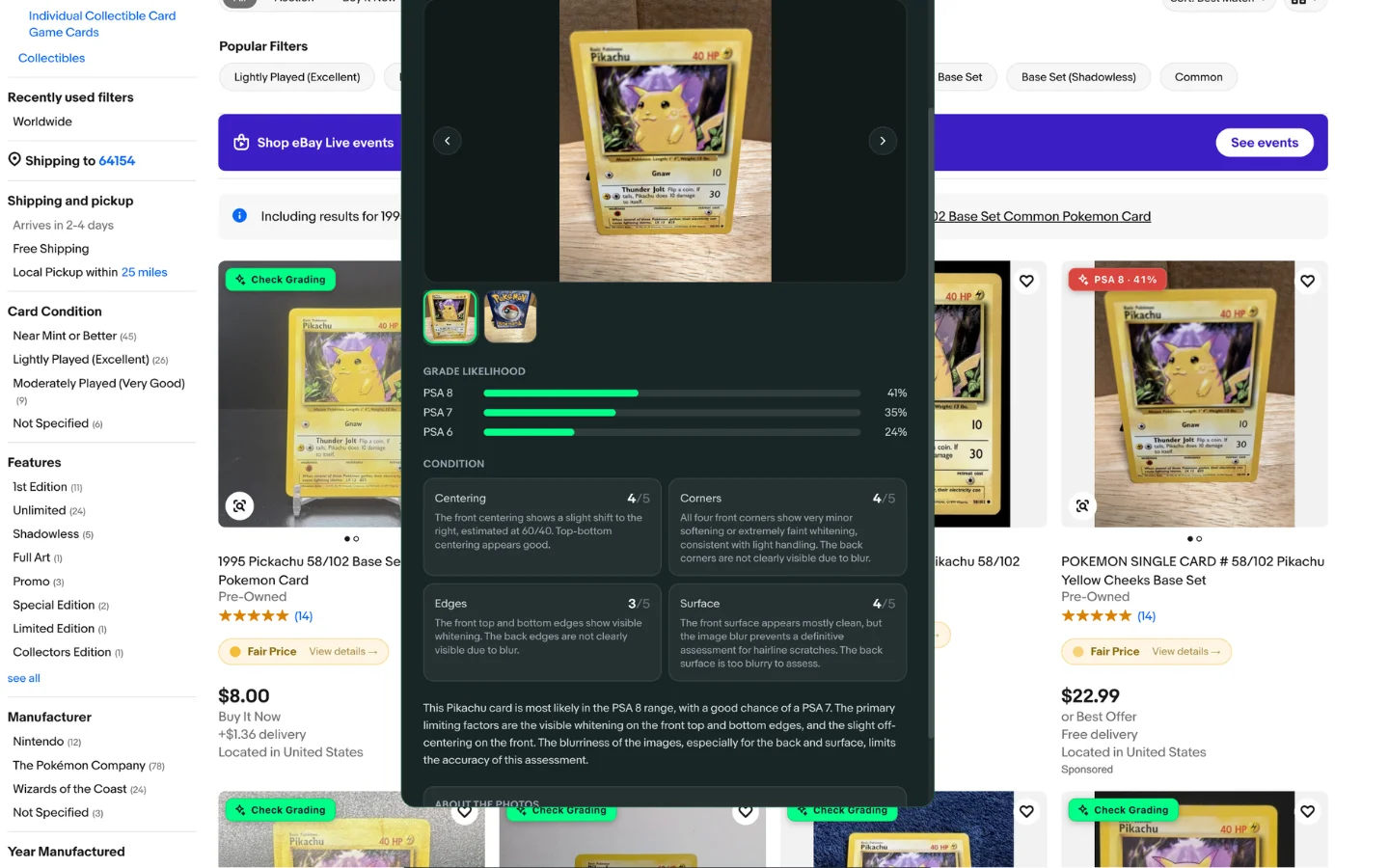 Condition breakdown for corners, edges, surface and centering
Fixes
- A grade is always tied to the account that paid for it, so it can no longer show up for a different account on the same browser.
- The Check Grading button appears on every search card straight away, not only after the price data has loaded.
- Opening the grading panel while an earlier grade is still being restored no longer replaces that grade, so a card is never graded twice.
- On the item page, switching a listing variation grades the photos now on screen instead of keeping the previous variation's photos and grade.
- Signing out on figoca.com no longer downgrades the extension to a "Free" account: the web sign-out leaves the extension's session alone, and when a session really has expired the extension says so and asks you to sign in again instead of showing stale account data.
Other changes
- Chrome is the only supported browser; the Firefox build is no longer maintained.
Get the update
Chrome installs extension updates on its own, usually within a few hours. To get 3.5.0 right away, open chrome://extensions, switch on Developer mode and click Update.
Not using figoca on eBay yet? Add it from the Chrome Web Store or read how the extension works. Every release is listed in the extension changelog and shown in the extension after it updates.

Card enthusiast, figoca founder, and independent software developer
Nico is a card enthusiast who built figoca after running into the same problems many collectors face: uncertain pre-grading decisions, too much tab switching for comps, and no fast way to price cards on the go. He is also a big Kansas City Chiefs fan (❤️💛), follows the Kansas City Royals (💙), and enjoys Formula 1 and Golf.
- Sports Card enthusiast
- Founder of figoca
- Independent software developer with a TypeScript and AWS background